
How to Use AI for Writing: A 2026 Guide to Technical Content
Learn how to use AI for writing technical content. Master prompt engineering, review, & integration with tools like GitDoc in this step-by-step guide.

You shipped a release on Friday. On Monday, the quickstart is already wrong, one parameter changed names, and the example response no longer matches production. Someone suggests using AI to fix the backlog. They’re not wrong, but they’re also not solving the hard part.
The hard part isn’t generating text. It’s building a writing system that can produce drafts fast, stay tied to the codebase, and pass review without introducing subtle mistakes. That’s the difference between using AI as autocomplete for docs and using it like a junior developer who can help, but still needs supervision.
That shift matters because AI has already moved into the core writing workflow. By 2026, 97% of content marketers plan to use AI to support content marketing, with top use cases in content ideation (74%), outlining (61%), and drafting (44%), according to Siege Media’s AI writing statistics. Technical teams aren’t exempt from that change. They just face stricter consequences when the output is wrong.
Table of Contents
- The New Reality of Technical Writing with AI
- Foundations for Quality AI Content
- The AI-Assisted Drafting Workflow
- Building Guardrails for Accuracy and Security
- Integrating AI into Your DocOps Workflow
- Adding the Irreplaceable Human Signal
The New Reality of Technical Writing with AI
A product manager merges a late API change at 4:30 p.m. Support is already seeing questions. The release goes out that night. If the docs team still works on a weekly update cycle, the published guide is wrong before the day ends.
That pressure explains why technical writing teams adopted AI so quickly. Engineering ships in small, frequent increments, and documentation has to keep pace with the same cadence. By 2026, 97% of content marketers plan to use AI to support content work, with 74% using it for ideation, 61% for outlining, and 44% for drafting, based on this 2026 AI writing adoption breakdown. The number matters less than the operating reality behind it. AI-assisted drafting is already part of the baseline workflow.
AI solves one problem and creates another
AI reduces draft time. It does not reduce the need for verification.
Used well, it can turn an OpenAPI spec into a starter quickstart, expand release notes into a changelog summary, and convert scattered SME notes into a first-pass tutorial. I use it the same way I use a junior developer on docs work. Give it bounded input, assign a narrow task, review every claim, and never assume confidence means correctness. If you want a broader consumer-oriented perspective on everyday writing workflows, Lumi Humanizer’s AI writer tips for content creators is a useful companion read because it highlights where AI helps most before specialist review begins.
Technical documentation breaks in more expensive ways than general content. A wrong CLI flag fails a setup. A stale prerequisite sends users into a dead end. An invented config key creates support load that did not need to exist.
Practical rule: In technical docs, speed matters only when every important statement can be checked against a source of truth.
The more effective upgrade is not faster prose generation. It is a controlled documentation pipeline where AI drafts against source material, humans review the output, and CI catches obvious failures before anything ships.
Doc rot still exists. AI just changes its shape
Doc rot used to show up after releases, when documentation lagged behind the product. Now it also shows up at draft time, when an AI-generated page sounds polished but drifts from the repo, spec, screenshots, or current UI.
Teams that get value from AI treat it as one layer in a full-stack docs workflow. Source ingestion comes first. Then prompt templates, constrained drafting, validation checks, pull request review, approval, and publication. That shift is visible in current AI documentation trends for 2026, especially among teams pushing docs changes through the same operational path as code.
If you are figuring out how to use AI for writing, judge the workflow, not the demo. The useful question is whether your system can keep drafts tied to reality from prompt to CI/CD to final publish.
Foundations for Quality AI Content
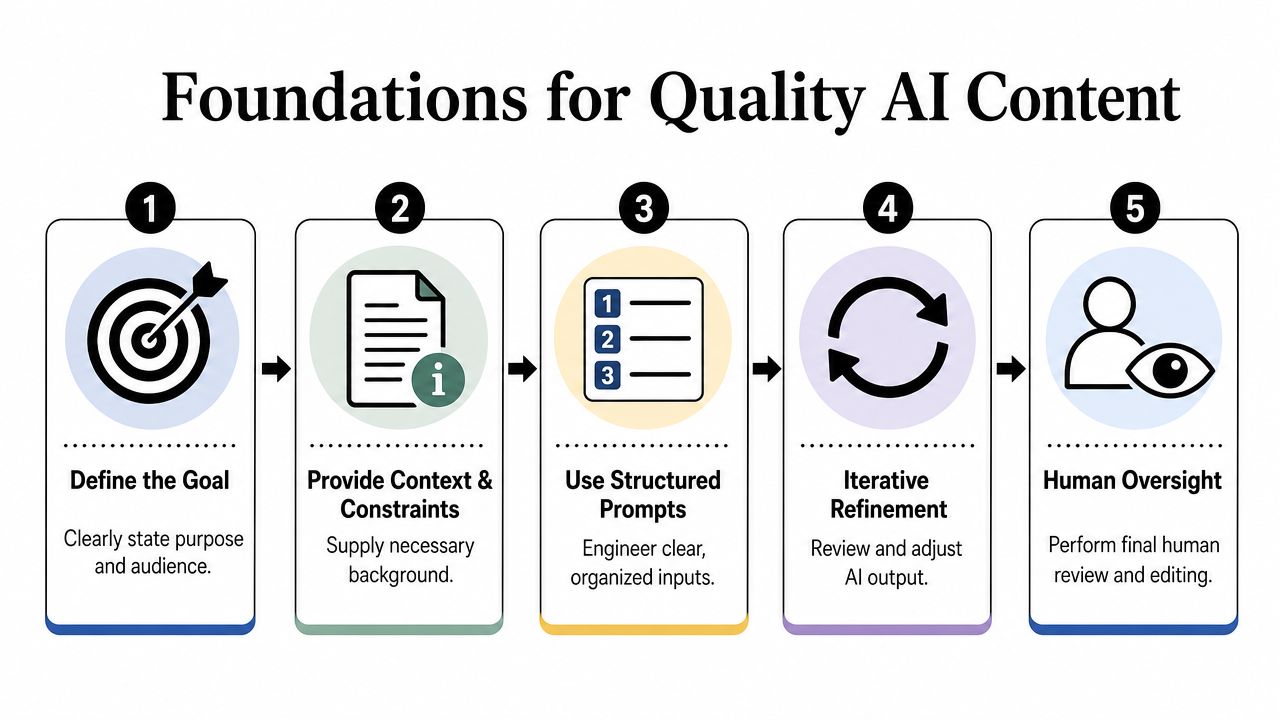
A weak AI draft usually starts long before the model writes a sentence. The failure happens in setup. The writer gives it a broad task, a loose prompt, and a pile of partial context, then expects publishable documentation back.
For technical content, that approach fails fast. Treat the model like a junior developer working on docs. Give it a bounded task, approved inputs, explicit constraints, and a review path. If those pieces are missing, the model fills gaps with confident guesses.
Choose the model for the job
Model choice is an operational decision, not a brand preference. Different tools break in different places. Some hold long context better. Some are faster in short revision loops. Some fit naturally inside the editor, where docs work already happens next to the repo.
A practical split often looks like this:
| Use case | Better fit | Why it works |
|---|---|---|
| Large spec review | Claude | Handles long technical context well |
| Inline rewrite and quick edits | ChatGPT | Easy to access across common workflows |
| Code-adjacent drafting inside editor tooling | Cursor or VS Code assistants | Keeps the doc task close to the repo |
The useful question is not which model is best in general. The useful question is which model fails in ways your review process can catch.
I have seen teams get solid results with ChatGPT for editorial cleanup and a second model for heavier source digestion. That split is common because convenience matters. Writers use the tool that fits the drafting loop they already have. For multilingual teams, that can also extend into translation QA and terminology control, which is one reason references like Agenty’s translation software insights are more relevant than generic AI hype.
Use structure before prose
Good technical drafts come from structure first. Paragraphs come later.
That approach lines up with Instrktiv’s guide to AI in technical writing. Ask the model for the skeleton before asking for explanation. Require placeholders for anything it cannot verify. Tell it which sources are allowed, and tell it what to do when the source material is silent.
A prompt frame that works in production usually includes:
- Doc type. API reference, quickstart, migration guide, FAQ, or troubleshooting page.
- Audience. Developer, admin, support engineer, or customer success team.
- Source of truth. OpenAPI spec, repo files, release notes, architecture notes, or existing docs.
- Constraints. No invented endpoints, no hidden assumptions, no unsupported examples.
- Output shape. Outline first, then one approved section at a time.
One instruction matters more than it seems: tell the model to write unknown when the source does not support a claim. That cuts down a lot of polished fiction.
Here is a prompt pattern that holds up well in a docs workflow:
- Task: Draft a developer quickstart
- Audience: Backend engineers integrating the API
- Source files: OpenAPI spec, auth docs, SDK README
- Required sections: prerequisites, authentication, first request, common errors, rate limits
- Constraint: Mark every missing value as NEEDS VERIFICATION
- Process: Return outline only. Wait for approval before drafting section one.
This feels slower only if you measure output by word count. In practice, it saves time in review, reduces back-and-forth with engineering, and produces drafts that can survive the same verification standards as code changes.
The AI-Assisted Drafting Workflow
Once the foundation is set, drafting becomes much more mechanical. That’s a good thing. Technical writing benefits when the process is boring and repeatable.
A common starting point is an OpenAPI spec. It already contains structure, terminology, paths, methods, and parameter definitions. AI is useful here because it can turn that machine-readable input into human-readable flow.
Start from the source of truth
A practical drafting session often starts with three inputs:
- The spec itself. OpenAPI or Swagger if you have it.
- Supporting context. Authentication notes, product positioning, edge-case behavior.
- Editorial constraints. House terminology, code example style, and forbidden claims.
From there, ask the model to produce an outline for a specific page, not a full documentation portal. For example: “Create a quickstart for first-time API users. Include setup, auth, a first request, response interpretation, and next steps. Do not draft examples for endpoints not present in the spec.”
That keeps the scope controlled. It also helps the writer inspect the plan before the model starts generating explanations.
Draft in small controlled passes
The best drafting sessions are incremental. Don’t ask the model for the whole manual. Ask it for one section, review it, then continue.
That workflow mirrors how developers use AI in code work. Globally, 41% of all code is now AI-generated, and developers accept about 30% of AI code suggestions, according to Fullview’s AI statistics roundup. Documentation should follow the same pattern: let AI generate candidates, then accept, reject, or revise in a tight loop.
A typical pass might look like this:
- Pass one generates a quickstart outline.
- Pass two drafts the authentication section from the spec and auth notes.
- Pass three adds one tested example request.
- Pass four rewrites dense language into something scannable.
The writer’s job is not to admire the draft. The writer’s job is to keep narrowing the gap between generated text and product reality.
This is also where inline editing matters. If your editor can rewrite, shorten, expand, and add examples without forcing you to leave the page, you preserve context. That’s especially useful for translation and localization passes. For teams handling multilingual docs, Agenty’s translation software insights are a helpful reminder that machine translation can accelerate first drafts, but terminology and technical nuance still need editorial review.
A short demo helps make the flow concrete:
What doesn’t work is asking for style, structure, examples, architecture context, migration notes, and troubleshooting in one giant prompt. That usually produces confident but uneven output. Small passes win because each pass gives the reviewer a clear decision: keep, edit, or reject.
Building Guardrails for Accuracy and Security
AI-generated documentation fails in ways that are dangerous precisely because the text looks competent. The syntax is clean. The structure is plausible. The command looks valid. Then a customer runs it and something breaks.
That’s why verification can’t be an afterthought. It has to be part of the writing workflow itself.
Why verification is the real workflow
Technical AI output carries a measurable hallucination risk. AI models show a 15–30% incidence rate of subtle technical hallucinations in code examples and parameter definitions, and teams that skip mandatory verification risk a 40% increase in post-publishing error correction cycles, based on the cited material in this technical writing discussion on YouTube.
Those aren’t the kind of errors that a casual skim will always catch. They’re usually small:
- a header name that looks standard but isn’t supported
- a parameter marked optional when the backend treats it as required
- a response field described correctly for an older version
- a shell example that assumes setup the user doesn’t have
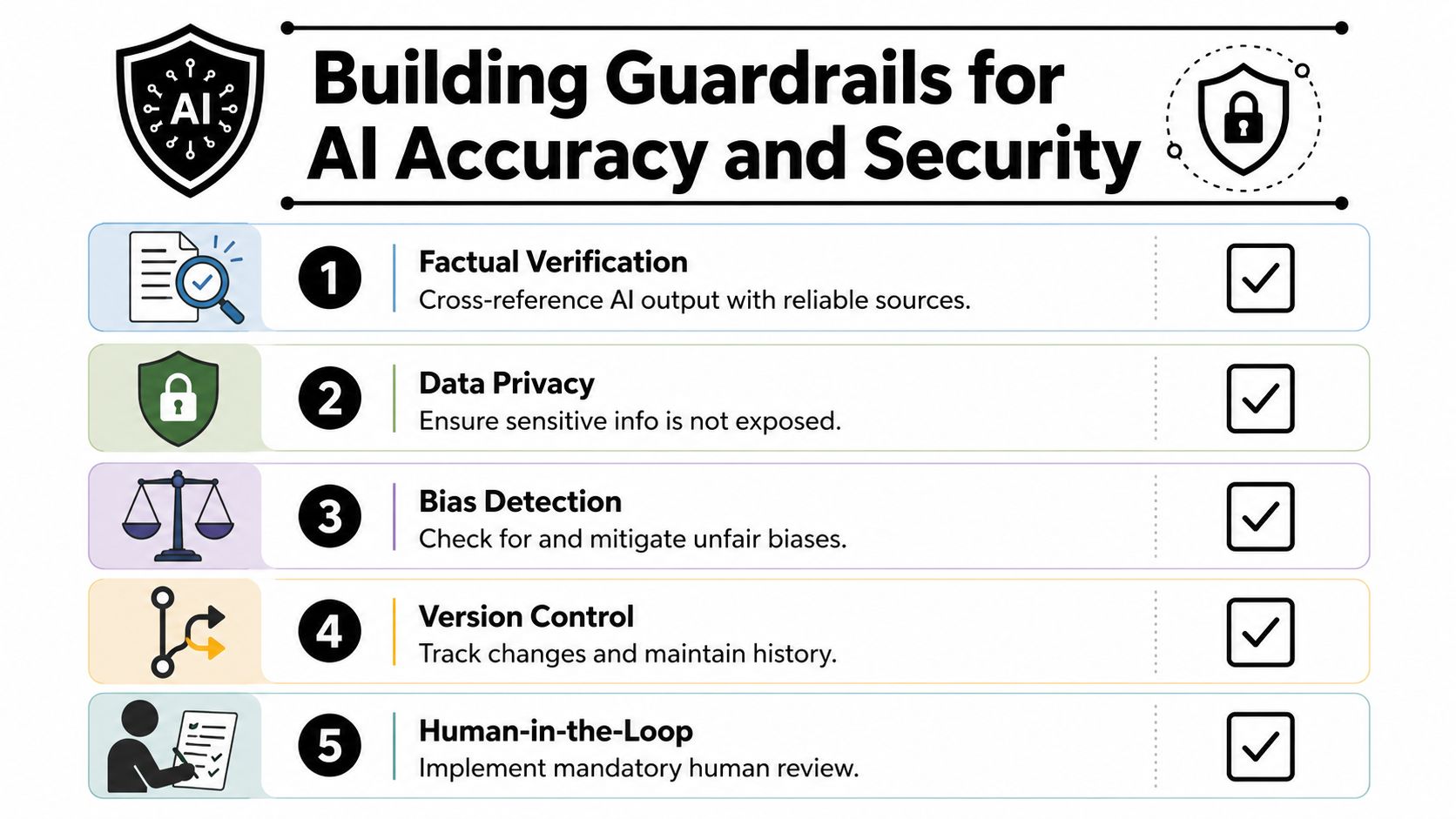
The fix is operational discipline. Every generated command, snippet, configuration value, and step needs a verification path. If it can’t be checked, it shouldn’t ship.
A practical review checklist
A strong audit process doesn’t require reading every line with equal intensity. It requires reviewing the right things in the right order.
Use a checklist like this:
- Check source alignment first. Compare every claim against the repo, spec, release notes, or product UI. If the text can’t be tied back to a source, flag it.
- Run executable examples. Test commands, code samples, and setup steps in a real environment. A pretty example that wasn’t run is marketing, not documentation.
- Review terminology consistency. Product names, parameter labels, and role names should match the product exactly.
- Inspect omission risk. AI often explains the happy path and skips destructive outcomes, permissions issues, rate limits, and rollback notes.
- Scan for privacy leaks. Prompts, context files, and generated content should not expose credentials, internal architecture details, or customer data.
For teams working in regulated or policy-sensitive environments, Cyndra’s guide to AI governance and compliance is a useful companion because it frames review as a governance problem, not just an editing problem.
A docs review should answer two questions: “Is it correct?” and “Was it allowed to be generated this way?”
Security review matters as much as factual review. If writers paste private code, internal tickets, or production data into a public model without policy controls, the workflow is broken before the first paragraph appears.
A good internal policy usually covers these operational rules:
| Risk area | Guardrail |
|---|---|
| Sensitive inputs | Restrict what source material may enter AI prompts |
| Approval rights | Require human signoff before publishing |
| Change history | Keep version history for every AI-assisted edit |
| Scope control | Limit which repos, pages, or spaces an assistant may edit |
Teams that need a starting point for those policies can adapt an internal checklist from GitDoc’s AI documentation guidelines resource.
The key mindset shift is simple. Don’t verify because AI is bad. Verify because technical publishing is a high-consequence activity, and AI increases both output volume and error surface at the same time.
Integrating AI into Your DocOps Workflow
Copying text from a chat window into a docs editor is the least mature way to use AI for writing. It works for experiments. It doesn’t scale for a product team.
The durable setup is DocOps. Documentation changes should move through the same operating habits as code changes: scoped edits, visible diffs, reviewer comments, approval gates, and publication history.
Move reviews into pull request style operations
Most advice about AI writing stays stuck at prompting. The larger gap is verification workflow. Optimizely’s field notes on content research describe this as the Verification Gap and recommend treating AI like a junior research assistant whose output still needs expert validation in a structured process, which is why their article on AI for content research maps well to PR-style documentation review.
That model fits technical docs naturally.
A healthy DocOps loop looks like this:
- A code or spec change lands.
- The docs system identifies affected pages.
- AI drafts proposed updates only for those pages.
- Reviewers inspect the diff.
- The team accepts, edits, or rejects the change.
- Approved content publishes with history attached.
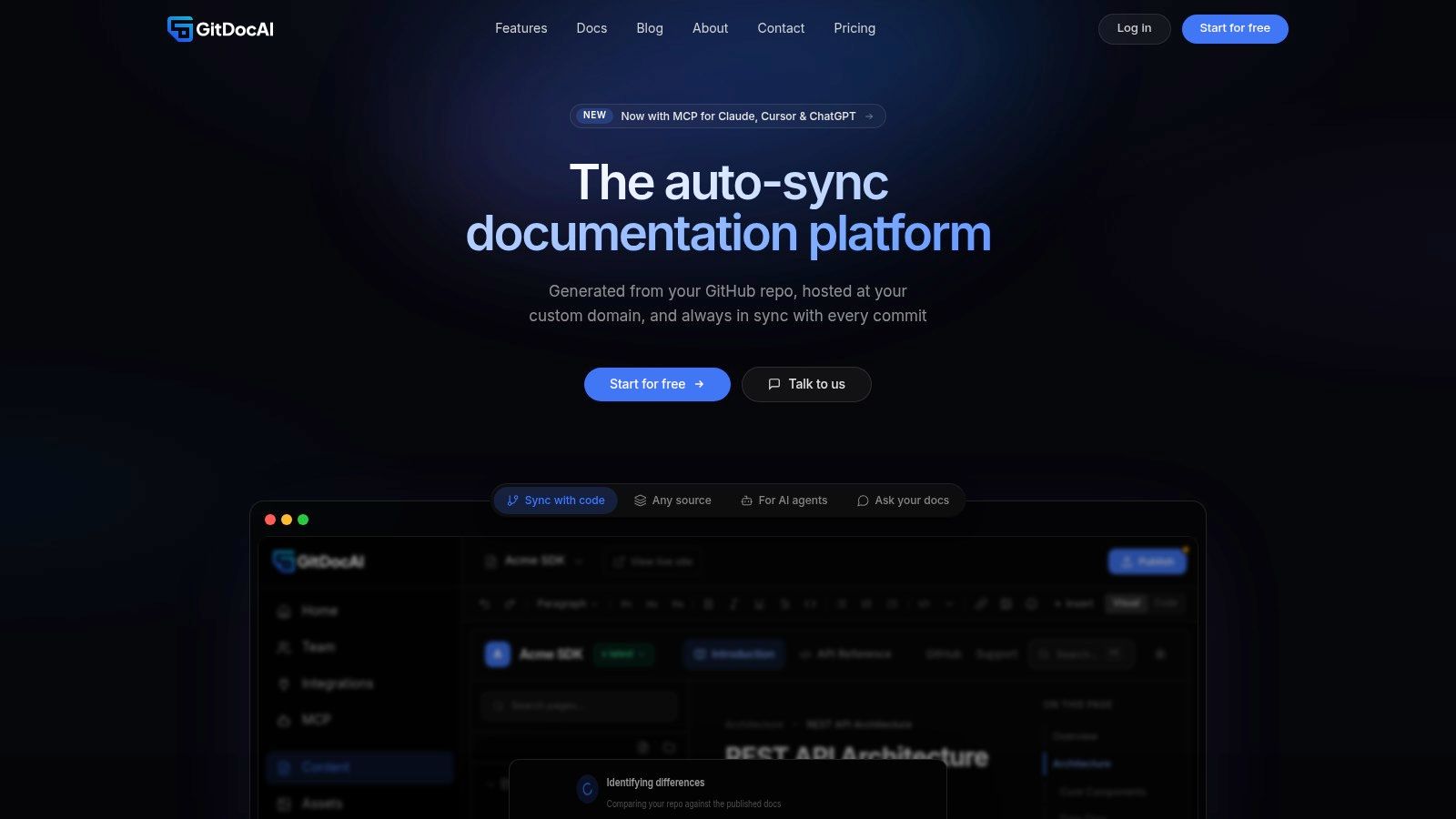
That review style does two things well. It keeps AI suggestions narrow, and it puts writers and engineers in a familiar approval environment. Instead of reviewing a whole page from scratch, the reviewer examines a delta.
Connect AI to the docs stack carefully
The next step is deeper integration. Rather than using AI as a separate drafting tool, connect it to the documentation system with scoped access and explicit permissions.
That usually means:
- Repository-aware context so the assistant can read the relevant files
- Scoped editing rights so it can propose changes without broad publish access
- Search and query tools so it can find the right page before editing
- Auditability so every change remains traceable
Model Context Protocol tooling becomes useful. It lets assistants work against structured documentation interfaces rather than guessing from pasted fragments. The important part isn’t the protocol itself. It’s the operating boundary. The assistant should only see the context it needs and only touch the pages it’s allowed to modify.
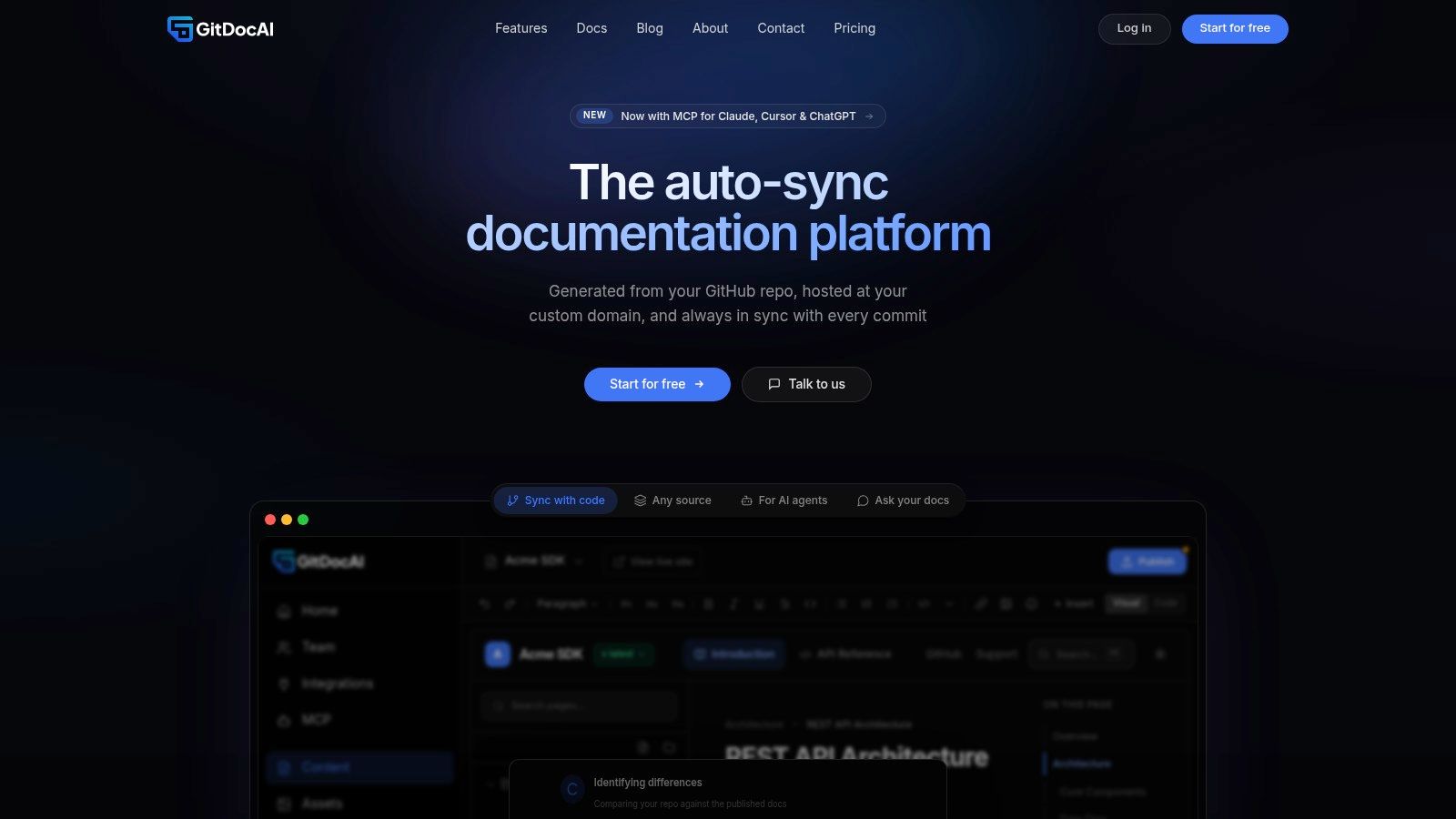
For teams building internal knowledge workflows alongside customer-facing docs, GitDoc’s AI-powered knowledge base resource is a solid reference point because it shows how the same review habits apply across public docs and private internal documentation.
A good integration should make AI feel less magical and more accountable. If an assistant proposes a bad update, the system should show what changed, where it changed, and who approved it. That’s the standard technical teams already expect from source control. Documentation shouldn’t get a weaker process just because the content is prose.
Adding the Irreplaceable Human Signal
The common assumption is that once AI can draft competently, the human writer becomes an editor of machine output. That’s too small a view of the job.
The actual value of the writer, DevRel lead, or engineering SME isn’t typing speed. It’s judgment. It’s knowing which warning belongs in the quickstart, which edge case keeps breaking customer integrations, and which phrase a developer will misunderstand on first read.
AI can accelerate writing but it can’t supply lived judgment
As scaled AI content starts to “enshittify” the writing industry, the differentiator is human signals such as original research, expert interviews, and a voice bank of raw customer language, as argued in Allison Carter’s post about AI and human signals.
That idea applies directly to docs.
A generic AI-generated “best practices” section usually sounds correct and says very little. A human-guided version includes what the support queue keeps seeing, what broke during the last migration, and why your team recommends one integration path over another. AI can reorganize those inputs. It can’t invent the lived experience behind them.
Good technical docs don’t just describe the product. They transmit team judgment.
Where teams should spend the time AI gives back
If AI is handling the repetitive drafting layer, the saved time should go into work that compounds trust:
- Interview engineers after launches and incident reviews.
- Pull real customer phrasing from support tickets, community posts, and sales calls to build a voice bank.
- Document edge cases that never make it into autogenerated reference pages.
- Add opinionated guidance where the product allows multiple valid paths.
That’s also how to use AI for writing without flattening your voice into boilerplate. Let the model handle the scaffolding. Keep the human team focused on the parts that carry authority.
The best AI-assisted documentation doesn’t read like AI at all. It reads like a team that understands its product thoroughly, updates fast, and still sounds like people who’ve seen real implementation problems in the wild.
If you want that workflow without stitching it together by hand, GitDoc gives engineering and DevRel teams an auto-sync documentation system that turns a repo, spec, or existing content into a reviewable docs site, then keeps updates tied to code changes through a PR-style approval flow. It’s built for teams that want AI to draft the heavy lifting while humans keep control of accuracy, voice, and publication.